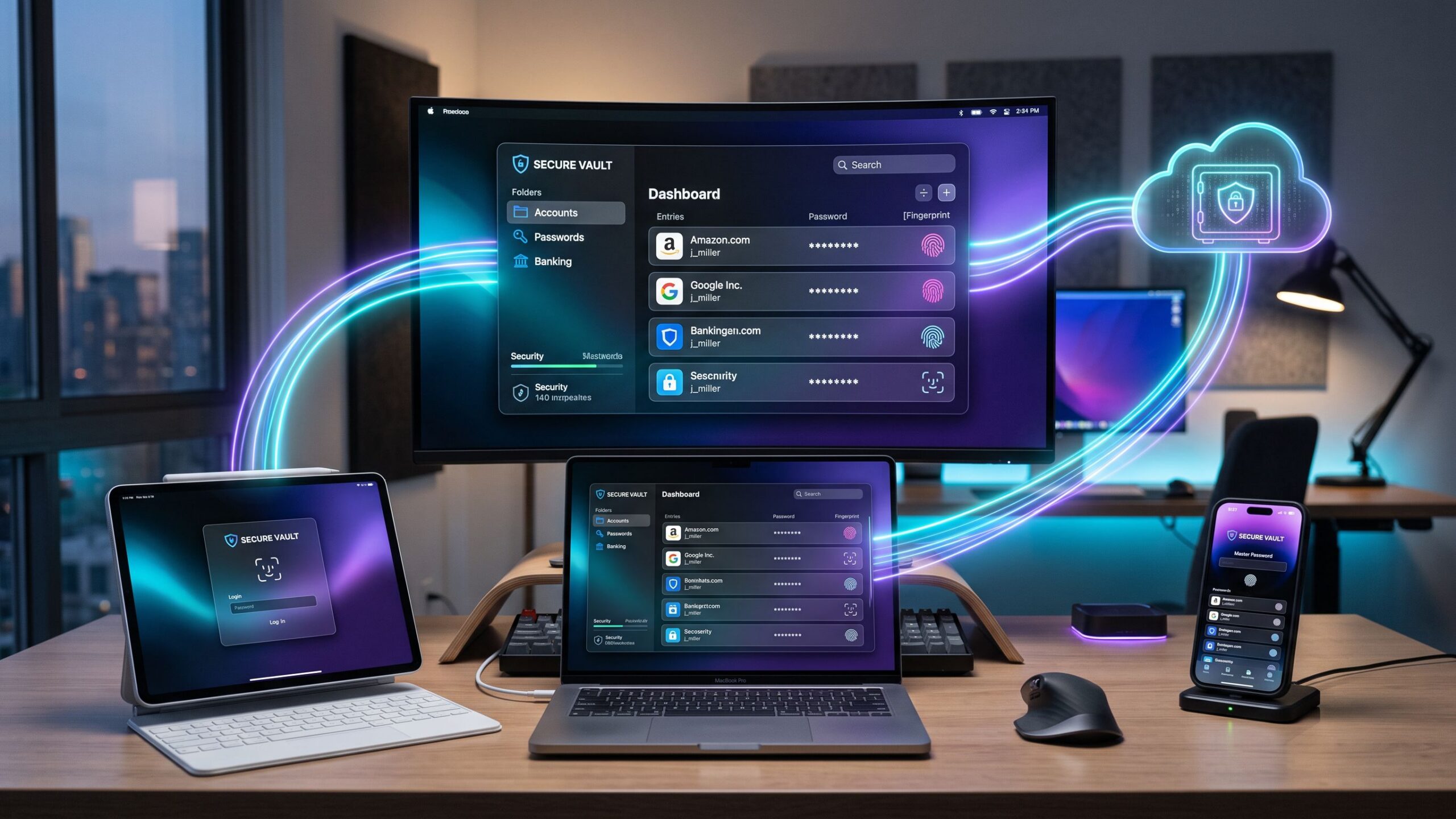
Imagine unlocking every digital account you own without struggling to remember a single complicated password. Your banking applications, streaming subscriptions, shopping accounts, social media profiles, and workplace platforms are all protected behind one secure digital vault. Now imagine discovering that this convenience could cost absolutely nothing—or require a subscription costing anywhere from a few dollars to considerably more each month. Welcome to the competitive world of password manager pricing, where understanding what you actually receive for your money can make the difference between a smart security investment and an unnecessary recurring expense.
Password management software has evolved from a convenient organizational tool into an essential component of modern cybersecurity. With cybercriminals exploiting reused passwords, phishing attacks, and stolen login credentials, protecting online accounts has become increasingly important. Password managers simplify this challenge by generating strong, unique passwords, securely storing credentials, and automatically filling login information across supported websites and applications.
However, not all password manager subscriptions are created equal. Free plans can deliver impressive security capabilities, premium subscriptions introduce sophisticated monitoring and convenience features, and family plans offer shared protection for multiple household members. Some providers charge primarily for advanced features, while others emphasize user experience, bundled security services, or collaborative tools.
So, which subscription offers the best value? This comprehensive password manager pricing guide examines the differences between free, premium, and family memberships, compares leading software providers, explores hidden subscription costs, and reveals how to select the right password management solution without paying for features you may never use.
Understanding Password Manager Pricing: What Are You Really Paying For?
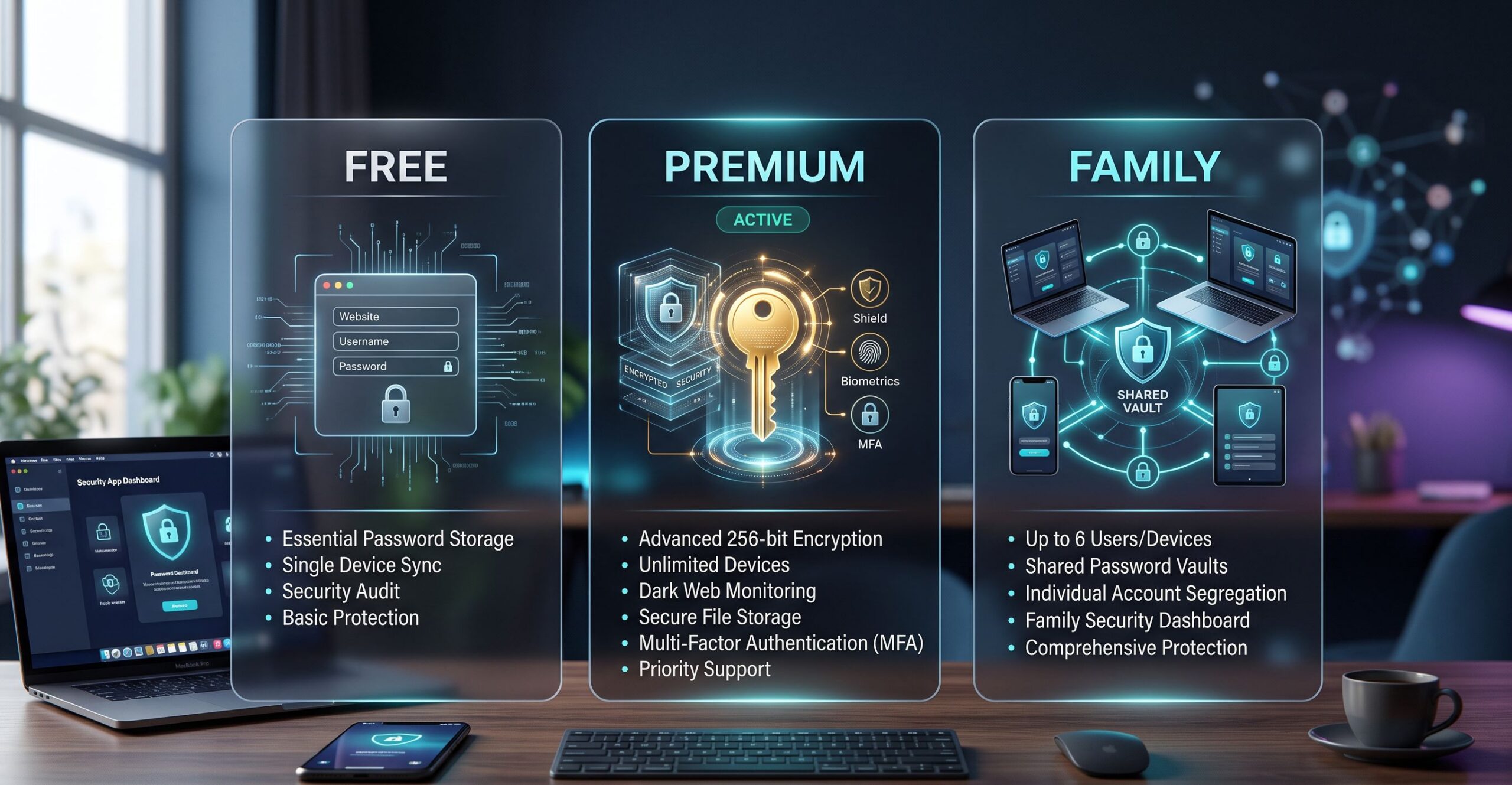
At their core, password managers perform one essential function: protecting and organizing digital credentials. They store usernames, passwords, passkeys, and sometimes additional sensitive information inside encrypted vaults that authorized users can access through supported authentication methods. Many reputable services use zero-knowledge security architectures designed to prevent the provider from reading the contents of a customer’s vault. The surprising reality is that expensive subscriptions do not necessarily provide stronger fundamental encryption than free alternatives. A reputable free password manager may use the same underlying vault encryption technology as its premium counterpart. The additional subscription fee generally pays for expanded functionality rather than an entirely different level of basic encryption. Premium memberships frequently introduce password health reports, advanced sharing capabilities, encrypted file storage, emergency access, and breach monitoring. Family subscriptions extend certain premium benefits to multiple individuals while providing shared vaults and administrative features. Pricing structures also differ considerably. Some providers offer permanent free accounts with optional upgrades, while others rely on paid subscriptions following limited trial periods. Monthly billing, annual commitments, promotional discounts, and bundled cybersecurity services further complicate comparisons. Understanding these distinctions is important because the most expensive password manager is not automatically the safest or most appropriate option. The ideal subscription provides the features necessary for your digital lifestyle while avoiding unnecessary financial commitments.
Free Password Managers: Can Zero Dollars Deliver Serious Security?
Free password managers have become remarkably capable, challenging the assumption that reliable digital security requires an expensive subscription. For individuals primarily interested in generating strong passwords, storing login credentials, and simplifying everyday account access, free software may provide everything necessary. One prominent example is Bitwarden, which has offered a generous free personal tier with unlimited password storage and synchronization across multiple devices. This makes it particularly attractive to people who regularly switch between laptops, smartphones, tablets, and desktop computers. Users can organize their credentials, generate unique passwords, and access their vaults without immediately committing to a paid membership. Proton Pass is another noteworthy contender, offering free password management capabilities with a strong emphasis on privacy. Its integration with Proton’s broader privacy-focused ecosystem makes it appealing to consumers interested in protecting more than just their passwords. Built-in alternatives such as Apple Passwords and Google Password Manager also deserve consideration. These solutions provide password storage, generation, and autofill functionality within supported operating systems and browsers, often without requiring a separate subscription. However, free accounts may come with limitations. Depending on the provider, users might encounter restrictions involving advanced password sharing, encrypted attachments, security monitoring, authentication integrations, or emergency access. Some services also impose device or simultaneous-session limitations on complimentary memberships. For individuals with relatively straightforward security requirements, these restrictions may be insignificant. Someone who primarily manages personal email, banking, shopping, and entertainment accounts might never need the additional capabilities included in a premium package. The greatest advantage of free password managers is accessibility. They eliminate the financial barrier to adopting stronger password habits and can dramatically reduce the risks associated with reusing credentials. Our Verdict: Free password managers offer exceptional value for individuals seeking dependable password storage, generation, and autofill. A reputable free solution is generally far safer than reusing passwords or storing sensitive credentials in unsecured notes.
Premium Password Managers: What Does Paying More Actually Unlock?
Premium password managers transform basic credential storage into a more comprehensive digital security experience. Although pricing varies between providers, individual premium subscriptions frequently cost several dollars per month when billed annually. Services such as 1Password, Dashlane, NordPass, and paid versions of Bitwarden and Proton Pass compete through combinations of convenience, security features, and cross-platform compatibility. One particularly valuable premium feature is advanced password health monitoring. Instead of simply storing credentials, these tools analyze password strength, identify repeated passwords, and highlight accounts that may require immediate attention. This functionality can be especially useful for people managing hundreds of online accounts. Dark web and breach monitoring may provide another layer of awareness. Depending on the service, these features check whether email addresses or credentials appear in known data breaches and notify users when potentially exposed information requires attention. Encrypted file storage is another premium benefit offered by certain providers. This capability allows users to store sensitive documents, recovery codes, identification information, and other private files alongside their passwords. Some premium subscriptions include emergency access features, allowing designated trusted individuals to request access to stored credentials under predefined conditions. This can be particularly useful for estate planning, unexpected emergencies, or situations involving lost access. Advanced sharing tools also make premium memberships attractive. Rather than sending sensitive passwords through ordinary messages or emails, users can share selected credentials through supported secure mechanisms. However, paying for premium features only makes sense when those capabilities deliver practical benefits. Someone who simply wants reliable password autofill may find little reason to upgrade from a capable free service. Our Verdict: Premium password managers are worthwhile for individuals who actively need advanced security reports, monitoring, secure sharing, or additional storage. They offer valuable conveniences, but are not universally necessary for strong password protection.
Family Password Manager Plans: One Subscription, Multiple Digital Lives
Family password manager subscriptions offer a compelling combination of convenience, security, and potential savings. Instead of purchasing separate premium memberships for every household member, families can subscribe to a single plan that provides individual accounts and shared organizational features. Most family-oriented subscriptions accommodate a specified number of users, commonly around five or six, although exact membership limits vary. Each person typically receives a private password vault, while shared vaults or collections allow household members to access selected credentials together. Imagine a busy household managing streaming services, utility accounts, school portals, online shopping memberships, travel reservations, and smart home applications. Without a centralized password management system, login credentials can quickly become scattered across notebooks, text messages, browser profiles, and forgotten email conversations. A family password manager organizes this information while helping preserve personal privacy. Parents can maintain separate banking credentials while sharing appropriate household accounts. Older children can manage school-related logins without receiving unrestricted access to sensitive family information. Some family subscriptions also include recovery assistance, administrative controls, and shared security features that simplify account management for less technically experienced users. The financial advantages can be substantial. A hypothetical family plan costing $60 annually and supporting six users works out to just $10 per person per year when every account is used. However, families should carefully consider whether every member actually needs a premium account. A two-person household might find that separate subscriptions—or a combination of free and premium memberships—provide better value. Our Verdict: Family password managers can be excellent investments for households with several active internet users, particularly when shared credentials, separate private vaults, and recovery assistance are important.
Free vs Premium vs Family: Breaking Down the Real Costs
Password manager pricing becomes easier to understand when subscriptions are evaluated on an annual basis rather than through attractive monthly advertisements. Many providers promote a low monthly equivalent while requiring customers to pay for an entire year upfront. For illustrative purposes, free password managers cost nothing, budget premium memberships might cost approximately $10–$25 annually, standard premium subscriptions might fall around $30–$60 annually, and family memberships could range from approximately $40–$100 per year. These figures are general comparison examples rather than verified current prices, and actual subscription costs may fall outside these ranges. A premium subscription costing $36 annually translates to $3 per month. While that might appear inexpensive, purchasing several individual memberships for household members can quickly increase the total cost. Consider a family of five paying $36 annually for each individual account. Their combined expense would reach $180 per year. If a suitable family subscription costs $72 annually, switching could save $108 each year while providing convenient shared-vault functionality. However, advertised prices do not always tell the complete story. Introductory promotions, renewal increases, taxes, and bundled features can significantly affect long-term value. Consumers should compare the standard renewal rate, number of included accounts, device compatibility, storage allowances, and availability of essential features before making a purchase. The most meaningful pricing comparison is not simply which provider charges the least. It is which provider delivers the necessary capabilities at the lowest reasonable total cost.
Bitwarden: The Budget-Friendly Password Management Champion
Bitwarden has become a strong contender in the password management market by combining a capable free offering with comparatively affordable premium options. Its open-source approach is particularly appealing to security-conscious consumers who value transparency and independent scrutiny. The free personal tier provides essential password management functionality without requiring a subscription. Users can generate unique passwords, store credentials, and synchronize information across supported devices. Paid individual memberships introduce additional capabilities, including certain advanced authentication features, security reports, and premium functionality. Family plans expand access through multi-user management and shared credential organization. Bitwarden’s interface emphasizes practicality and functionality. Although some competitors offer more polished visual experiences, Bitwarden remains attractive to users who prioritize flexibility and value. Its cross-platform compatibility is another important strength, supporting major browsers, desktop operating systems, and mobile devices. The most appealing aspect of Bitwarden’s pricing philosophy is that users can begin with a capable free account and upgrade only when additional features become necessary. For shoppers seeking affordable password management software without sacrificing essential security capabilities, Bitwarden deserves serious consideration.
1Password: Premium Convenience With a Polished Experience
1Password takes a different approach by emphasizing a refined user experience, integrated security tools, and convenient account management. Its consumer offerings have generally focused on paid subscriptions rather than a permanent free personal tier. The individual subscription provides password storage, secure autofill, cross-device access, and security-related features designed to simplify everyday account protection. One of its standout capabilities is Watchtower, which helps users identify potentially vulnerable passwords and other account security concerns. Travel Mode is another distinctive feature, allowing users to control which vaults remain available on their devices while traveling. The family subscription adds individual accounts, shared vaults, and recovery-related capabilities that can simplify household password management. 1Password’s greatest advantage is usability. Sophisticated security tools are presented through an interface designed to feel approachable rather than overwhelming. The main drawback is cost. Individuals who only need basic password generation and autofill may find that free alternatives already satisfy their requirements. However, consumers who value an intuitive interface, organized sharing, and integrated security features may consider the additional expense worthwhile. 1Password is particularly attractive to users willing to pay for convenience, thoughtful design, and a comprehensive password management experience.
Dashlane: Advanced Password Protection Beyond the Basics
Dashlane positions itself as a broader digital security solution rather than merely a place to store passwords. Its consumer offerings emphasize password health, credential monitoring, and additional online protection capabilities. The software helps users evaluate the strength of their existing passwords, identify potentially compromised accounts, and improve everyday login security. Dashlane’s browser-focused experience makes password management convenient for individuals who spend much of their time working online. Password generation, autofill, and credential organization are designed to reduce friction during routine browsing. Depending on the subscription and region, certain plans may include additional cybersecurity services such as VPN access. These extras can increase overall value for customers who would otherwise purchase similar tools separately. However, bundled features should not automatically justify a higher subscription price. Someone who already has a reliable VPN may receive limited additional benefit from paying for another one. Dashlane is especially appealing to users who want proactive security insights alongside conventional password storage. Its value depends on whether customers actively use the expanded capabilities included in their selected membership.
NordPass: Streamlined Security for Everyday Internet Users
NordPass focuses on delivering a modern, approachable password management experience across supported devices and browsers. Its interface emphasizes simplicity, making it attractive to users who prefer straightforward software over complicated security dashboards. The service has offered both free and paid options, with differences involving advanced functionality and device-session flexibility. Premium memberships may include password health reports, breach scanning, secure sharing, and other convenience features. Family plans extend eligible paid capabilities to multiple household members. NordPass is particularly appealing to consumers who want a clean interface and relatively simple onboarding. However, pricing requires careful attention. Promotional discounts and multi-year subscription offers may significantly reduce initial costs, but renewal rates can differ from introductory prices. Before purchasing, customers should calculate the annualized subscription expense and confirm that the advertised discount applies to the features they actually need. NordPass represents a competitive alternative for individuals seeking user-friendly password management with optional premium enhancements.
Proton Pass: Privacy-Focused Password Management With Added Benefits
Proton Pass approaches password management through the lens of broader online privacy. Alongside conventional credential storage, the service emphasizes tools designed to reduce the exposure of personal information. One particularly interesting capability is email aliasing, which allows users to create alternative email addresses for supported online registrations. This can help reduce the visibility of a primary email address and simplify management of unwanted messages. The free tier provides an accessible entry point for users seeking secure password storage without an immediate subscription commitment. Paid offerings expand functionality, while broader Proton subscriptions may combine password management with email, VPN, and cloud storage services. This bundled approach can offer excellent value for consumers already interested in several Proton products. However, paying for a comprehensive privacy package makes little financial sense when most of its included applications will remain unused. Proton Pass is particularly compelling for users who want password management combined with additional privacy-focused functionality.
Hidden Password Manager Costs That Could Surprise You
Password manager subscriptions sometimes contain financial details that are easy to overlook during the excitement of a promotional offer. Understanding these potential expenses can prevent unpleasant surprises later. Introductory pricing is one of the most common considerations. A provider may advertise a substantial first-year discount, only for the subscription to renew at a higher standard rate. Annual billing is another factor. A price displayed as a monthly equivalent may require customers to pay the entire annual amount upfront, limiting flexibility if they decide to switch services. Some providers offer bundled cybersecurity products, but these packages should be evaluated carefully. Additional services may increase the total subscription cost without delivering meaningful value to every user. Family plans can also become less economical when membership capacity goes unused. A subscription designed for six people may not be the best financial choice for a household containing only two active users. Data portability is another important consideration. Before subscribing, verify whether passwords can be exported in a standard format and whether the service provides clear cancellation procedures. Consumers should also investigate what happens when a paid subscription expires. Depending on the provider, certain premium capabilities may disappear while basic vault access remains available. The smartest approach is to compare initial pricing, renewal rates, cancellation policies, and long-term usability before committing to a subscription.
Security Differences: Does Paying More Actually Make You Safer?
One of the biggest misconceptions surrounding password management software is that premium subscriptions automatically provide stronger encryption than free alternatives. In reality, many reputable providers use the same underlying vault encryption architecture across their free and paid memberships. Premium features generally improve security through additional functionality rather than fundamentally replacing basic encryption. Password health reports, for example, help identify weak or reused credentials. Breach monitoring can alert users when account information appears in known security incidents. Emergency access and advanced sharing features can improve credential management under certain circumstances. However, these capabilities only provide meaningful protection when users respond appropriately. A free password manager containing strong, unique passwords can offer excellent practical security, particularly when combined with multifactor authentication. Conversely, an expensive premium subscription cannot guarantee protection against phishing, malware, account recovery scams, or careless handling of sensitive information. Security also depends on choosing a reputable provider with transparent practices, maintaining updated software, and protecting the authentication methods used to access the vault. The most effective password management strategy combines reliable technology with consistent security habits. Ultimately, premium subscriptions may provide additional safeguards and convenience, but strong cybersecurity does not necessarily require the highest subscription tier.
Choosing the Best Password Manager Plan for Your Lifestyle
The right password manager subscription depends on how you use technology, how many accounts you manage, and whether you need to share credentials with other people. Students and casual internet users may find that free password managers provide everything necessary. Password generation, secure storage, and autofill can eliminate many common password-related frustrations without creating another monthly expense. Professionals managing numerous personal and work-related accounts may benefit from premium security reports, encrypted storage, and advanced sharing tools. Families with several digitally active members may appreciate the convenience of separate private vaults and shared household credentials. Small-business owners should evaluate business-oriented password management software rather than automatically relying on consumer family subscriptions. Workplace plans may include employee provisioning, administrative controls, access policies, and audit functionality unavailable in standard family memberships. Device compatibility should also influence the decision. A household using Windows laptops, iPhones, Android devices, and multiple browsers should confirm that its preferred password manager works effectively across those environments. Ease of use matters just as much as technical capabilities. A complicated password manager that people avoid using may deliver less practical protection than a simpler alternative that fits naturally into everyday routines. The ideal subscription balances affordability, functionality, convenience, and security.
When Should You Upgrade From Free to Premium?
Upgrading from a free password manager makes sense when specific limitations begin interfering with your digital security needs. Perhaps you frequently share credentials with trusted contacts and want a more controlled method than sending passwords through messages. Maybe you need encrypted storage for sensitive recovery documents or advanced reports to identify vulnerable accounts. Some users may benefit from emergency access features that allow designated individuals to recover important information under carefully defined circumstances. Others may simply prefer the interface, customer support options, or broader integrations offered by a paid provider. However, upgrading because a subscription is advertised as more secure is not necessarily a compelling reason on its own. Before purchasing, identify the exact feature you need and determine whether a reputable free alternative already provides it. If a premium subscription meaningfully improves convenience, reduces security risks, or saves time, the additional expense may be justified. If the upgrade primarily introduces features you are unlikely to use, remaining on a free plan may be the smarter decision.
Are Family Password Manager Plans Worth the Investment?
Family password manager subscriptions can deliver substantial value when several household members actively use the service. A single membership may provide private password storage for each person while simplifying access to shared household accounts. Parents can manage utility credentials, family subscriptions, and appropriate school-related logins without distributing sensitive passwords through unsecured communication channels. Family recovery features may also help less technically experienced relatives regain access when they encounter account difficulties. Financially, family subscriptions become increasingly attractive as membership increases. However, the savings depend on actual usage and the provider’s pricing structure. A household with two members should compare individual premium memberships against the family subscription before making a decision. Families should also establish clear expectations regarding shared credentials, private information, and account access. When implemented thoughtfully, a family password manager can become a valuable organizational and security tool rather than simply another household expense.
Final Verdict: Free, Premium, or Family — Which Password Manager Plan Wins?
The password manager market offers an impressive range of solutions, from completely free credential storage to sophisticated premium subscriptions and comprehensive family memberships. Fortunately, protecting your digital identity does not require automatically choosing the most expensive option. For individuals seeking essential password generation, secure storage, and autofill, free password managers frequently provide outstanding value. Bitwarden and Proton Pass are particularly interesting starting points for budget-conscious users. Premium subscriptions become more attractive when advanced security monitoring, enhanced sharing, encrypted storage, or additional convenience features are genuinely useful. Providers such as 1Password, Dashlane, and NordPass offer different approaches to delivering these benefits. Family plans stand out for households with multiple active users who want separate private vaults alongside convenient access to shared credentials. The smartest purchasing decision comes from evaluating actual requirements rather than relying on promotional discounts or impressive feature lists. Before subscribing, compare current provider pricing, investigate renewal terms, confirm device compatibility, and determine whether the included capabilities justify the expense. Our Overall Recommendation: Start with a reputable free password manager if your needs are straightforward. Upgrade to premium when specific advanced features become valuable, and choose a family plan when multiple household members will genuinely benefit from shared security tools. Ultimately, the best password manager is not necessarily the one with the most expensive subscription, the longest feature list, or the biggest introductory discount. It is the one that makes protecting your accounts simple, dependable, and affordable enough to become a permanent part of your digital life.
Screen Capture and Recording Software Reviews
Explore Nova Street’s Top 10 Best Screen Capture and Recording Software Tools! Dive into our comprehensive analysis of the most powerful platforms designed to transform how you record, edit, and share visuals across every device. Our detailed side-by-side comparison chart helps you pinpoint the perfect solution for screen capturing, video recording, live streaming, and post-production editing—all in real time. We break down every critical element—capture resolution, frame rate performance, audio integration, webcam overlays, annotation tools, editing flexibility, export formats, storage management, workflow automation, pricing, and cross-platform compatibility—so your creative workspace stays sharp, efficient, and seamlessly connected across Windows, macOS, iOS, Android, and the web.