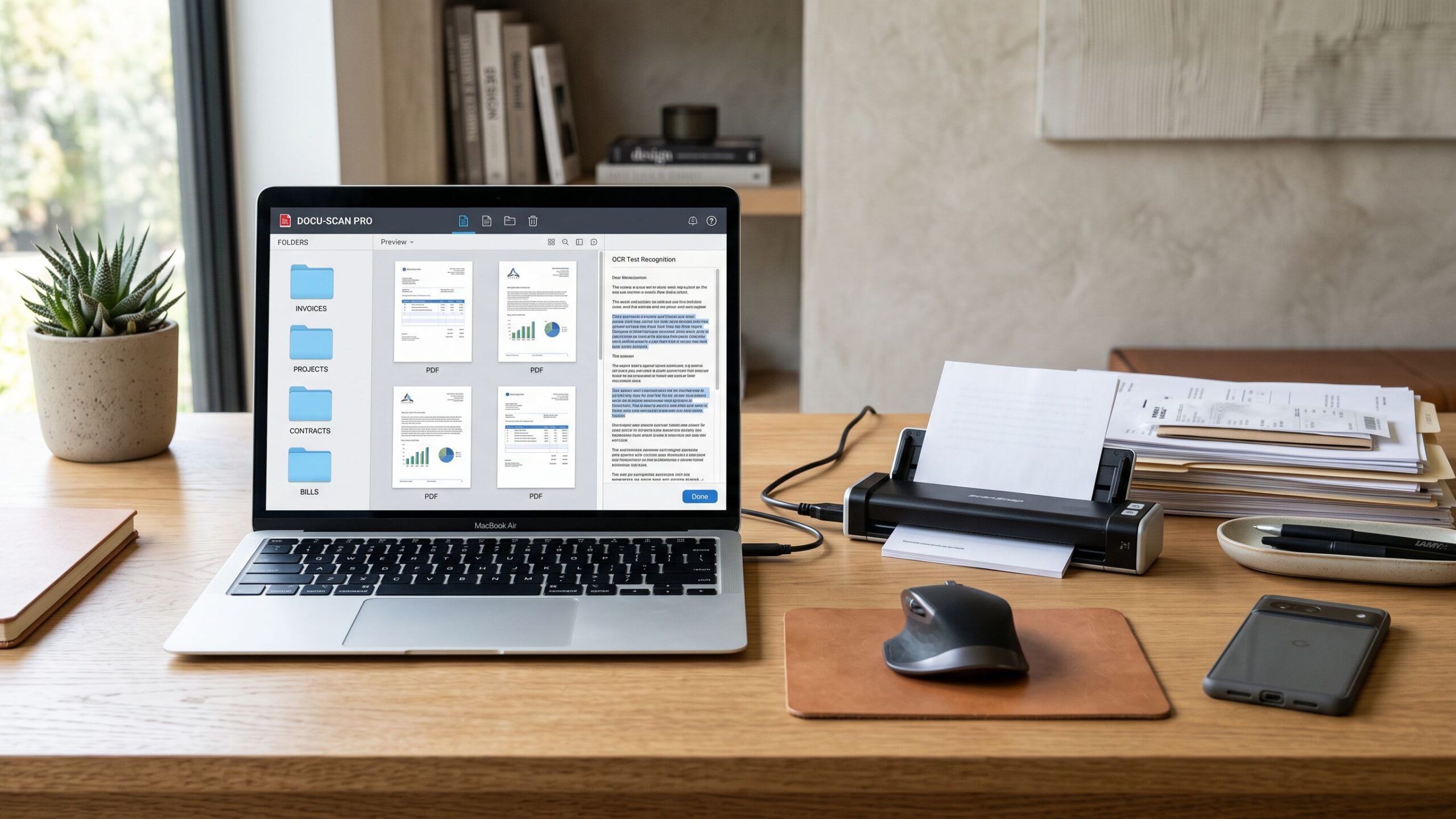
Remote work changed how businesses handle documents. Contracts, invoices, onboarding files, approvals, HR paperwork, and customer records no longer move across one physical office. Teams now need access from home offices, shared workspaces, client locations, and multiple departments spread across different cities. When documents stay trapped in paper folders or local desktops, collaboration slows down and mistakes grow quickly. Cloud-connected scanning software solves that problem by turning paper files into searchable digital records that teams can access securely from anywhere. Instead of scanning a document and leaving it on one computer, businesses can instantly upload, organize, share, and manage files across departments. The right platform improves speed, visibility, and accountability while making remote work far more efficient.
Why Cloud-Connected Scanning Matters
Traditional scanning software often works well inside a single office but creates major problems for distributed teams. If scanned files remain stored on one local machine, remote employees lose access and collaboration becomes slow.
Cloud-connected scanning software removes that barrier. Files can be scanned from mobile devices, desktop scanners, or office machines and uploaded directly into shared cloud storage where authorized team members can access them immediately.
Adobe Scan is often considered one of the strongest mobile scanning tools because it uses AI to detect document boundaries, correct perspective, and create searchable PDFs directly from a phone. This makes remote capture much faster for distributed teams.
Cloud access also improves version control. Teams avoid duplicate files, outdated versions, and missing approvals because everyone works from the same shared record.
The goal is not just scanning faster. It is creating a system where documents move as smoothly as the team does.
Best Overall: Adobe Scan
For many remote teams, Adobe Scan remains the strongest overall choice because it combines mobile flexibility, strong OCR, and smooth cloud connection without complicated setup.
It works especially well for contracts, receipts, invoices, signed forms, and client paperwork that need fast scanning from anywhere. Employees can scan directly from a phone and create searchable PDFs that connect naturally into broader PDF workflows.
Its automatic edge detection, image cleanup, and searchable PDF creation make it one of the strongest mobile-first scanning solutions for teams working across multiple locations.
For businesses that want simple adoption and fast remote access, Adobe Scan often provides the best balance of usability and speed.
Best for OCR Accuracy: ABBYY FineReader
ABBYY FineReader is often the best option for businesses where document accuracy matters more than quick mobile capture.
Legal teams, finance departments, consulting firms, and operations-heavy businesses often prefer it because contracts, reports, and compliance files require stronger OCR precision and better layout preservation.
Complex multi-page documents remain cleaner and easier to search compared to lighter mobile scanning apps. This matters heavily when teams depend on accurate archived records instead of quick one-time uploads.
For businesses where searchability and document integrity are the top priorities, ABBYY often becomes the stronger long-term investment.
Best for Microsoft Teams and Remote Offices: Microsoft Lens
Microsoft Lens works especially well for organizations already using Microsoft 365 because it connects naturally with Teams, SharePoint, Outlook, Excel, and OneDrive.
This creates smoother workflows because scanned documents move directly into the tools employees already use every day instead of forcing them into a separate platform.
For remote departments, field workers, and hybrid teams, this convenience becomes a major advantage. A fast mobile scan that lands directly inside SharePoint or a Teams workflow saves time and reduces filing mistakes.
A system people use consistently is often better than a more advanced system people avoid.
Best for Large Workflow Automation: Kofax
Kofax is often the strongest choice for businesses where scanning must trigger real operational workflows, not just file storage.
Invoices can move into accounting approvals automatically. HR forms can route into employee onboarding systems. Contracts can trigger review processes across departments without manual handling.
This is especially valuable for remote teams managing high document volume because workflow automation reduces the need for repeated follow-up and manual filing.
For growing businesses and enterprise teams, automation usually creates more value than scanning speed alone.
Best for Shared Cloud Document Management: Google Workspace and Dropbox Business
Sometimes the best scanning solution depends more on where documents live after scanning than on the scanner itself.
Cloud document systems like Google Workspace and Dropbox Business work well for teams that need strong shared access, version control, and secure file collaboration after the scan is complete.
These platforms improve permissions, reduce duplicate files, and make collaboration easier because everyone works inside one organized system.
If the real problem is organizing and sharing scanned documents across remote teams, cloud document management may matter even more than the scanner itself.
Security for Remote Access Cannot Be Ignored
Remote access creates speed, but it also creates risk if document security is weak.
HR files include personal employee data. Finance teams handle payment records. Legal departments manage confidential contracts. Customer operations work with sensitive account information.
Strong cloud-connected scanning software should include permissions, encryption, audit logs, secure sharing, and access visibility. Teams should know who opened a file, when it changed, and where it moved.
Encryption, access controls, audit trails, and version control are essential for secure remote document management.
A fast cloud scanner without strong security creates more problems than it solves.
Final Verdict
The best cloud-connected scanning software for teams and remote work depends on how your team handles documents every day.
If you want the strongest all-around mobile and remote scanning solution, Adobe Scan is often the best starting point.
If OCR accuracy matters most, ABBYY FineReader remains one of the strongest choices for long-term document management.
If your company already runs on Microsoft 365, Microsoft Lens creates smoother daily workflows with less friction.
If your business depends on workflow routing and approvals, Kofax usually provides the biggest operational advantage.
The best cloud-connected scanning software is not the one with the biggest feature list. It is the one your team uses every day, your files stay secure inside, and your remote workflows become faster instead of harder.
Document Scanning Software Programs Reviews
Explore Nova Street’s Top 10 Best Document Scanning Software Programs! Dive into our comprehensive analysis of the most powerful tools designed to transform how you scan, digitize, and manage documents across every device. Our detailed side-by-side comparison chart helps you pinpoint the perfect solution for document scanning, OCR text recognition, PDF creation, image enhancement, and secure archiving—all in real time. We break down every critical element—scan accuracy, OCR quality, file format support, image cleanup, batch processing, searchability, cloud storage integration, automation features, pricing, and cross-platform compatibility—so your document workflow stays clean, efficient, and seamlessly connected across Windows, macOS, iOS, Android, and the web.