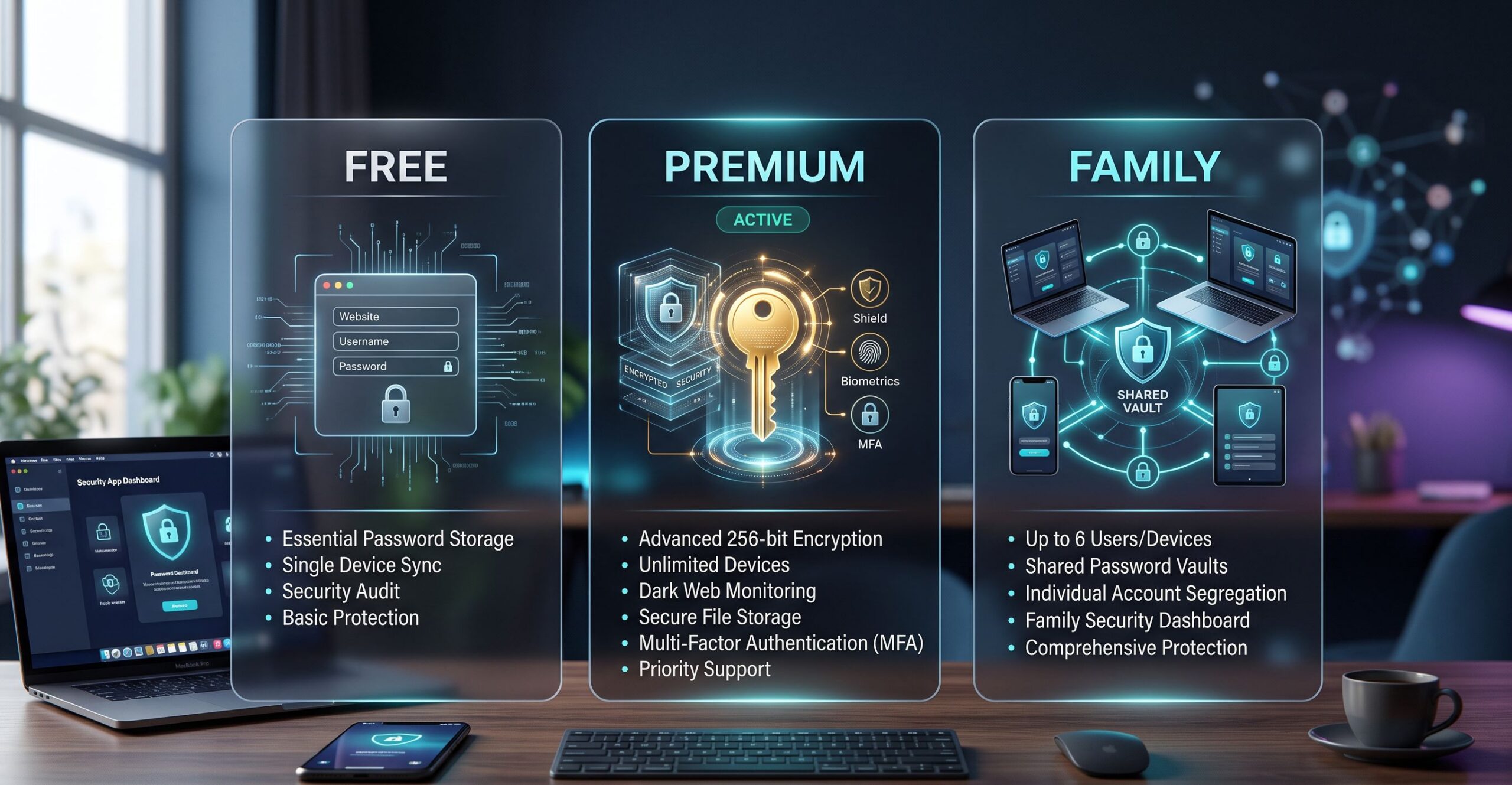
Many people hesitate before trusting a password manager because the idea feels risky at first. Storing all of your passwords in one place sounds like putting every key to your life inside a single box. If that box is compromised, it seems like everything could be lost at once. That concern is understandable, and it is one of the biggest reasons people avoid password managers in the first place.
The truth is that password managers are usually far safer than the alternatives most people rely on every day. Reusing the same password across multiple accounts, saving passwords in browsers without protection, writing them in notes apps, or storing them in spreadsheets creates far greater risk than using a properly designed password manager.
A strong password manager uses advanced encryption, secure vault protection, multi-factor authentication, and zero-knowledge architecture to protect your information. In most cases, it is one of the safest tools available for managing online accounts.
What Security Experts Want You to Know
Security experts do not recommend password managers because they are perfect. They recommend them because the real-world alternatives are far worse. Most people reuse passwords, choose weak logins, forget to update compromised accounts, and share credentials through unsafe methods. A password manager solves many of these problems by making secure habits easier to maintain.
The biggest advantage is password quality. A password manager creates long, unique, complex passwords for every account instead of relying on memory. This means one leaked password does not automatically expose your banking account, email, shopping accounts, and work logins at the same time.
Experts also value visibility. Many password managers include breach monitoring, password health reports, and alerts for reused or weak passwords. Instead of waiting until something goes wrong, users can fix security problems early.
Another major benefit is secure storage. Password managers protect more than passwords. They can safely store recovery codes, financial details, passport information, Wi-Fi credentials, private notes, and business access records in one protected vault.
Security experts consistently explain that password managers reduce the most common human mistakes. They do not remove all risk, but they dramatically reduce the biggest everyday vulnerabilities.
How Password Managers Actually Protect Your Data
The strongest protection inside a password manager comes from encryption. Your vault is locked using powerful encryption standards designed so that even the company providing the service cannot see your stored information.
This is often called zero-knowledge architecture. It means the provider stores encrypted data, but only you hold the key to unlock it through your master password. If implemented correctly, even a company employee cannot read your saved passwords.
Your master password is extremely important because it becomes the main key to your vault. Good password managers never store that password in readable form. This is why choosing a strong, unique master password matters so much.
Multi-factor authentication adds another layer of protection. Even if someone somehow learns your master password, MFA requires a second form of verification such as an authentication app, fingerprint scan, face recognition, or hardware security key.
Many password managers also use secure autofill systems that reduce phishing risks. Instead of typing passwords manually into fake websites, the manager helps identify trusted login pages and fills credentials only where they belong.
This combination of encryption, MFA, secure storage, and phishing protection creates a much stronger defense than memory or browser storage alone.
Yes, Password Managers Can Still Have Risks
Password managers are safer, but they are not magic. They still come with risks, and understanding those risks is part of using them wisely.
The biggest risk is usually the user, not the software. If someone chooses a weak master password like a pet name or birthday, the security of the entire vault becomes weaker. A password manager cannot protect bad habits if the foundation is weak.
Phishing is another danger. Attackers may create fake login pages for password manager accounts themselves, trying to steal master passwords directly. This is why users should always verify login pages carefully and use MFA whenever possible.
Device security also matters. If your laptop or phone is infected with malware, attackers may target whatever is stored there, including password manager access. Good security habits outside the password manager still matter.
There is also the reality that companies themselves can experience security incidents. Even trusted providers can face breaches. However, when zero-knowledge systems are built correctly, attackers should still only gain encrypted data, not readable passwords.
The existence of risk does not mean password managers are unsafe. It means they should be used correctly, just like any important security tool.
Browser Password Saving vs Password Managers
Many people assume saving passwords directly in a browser is the same as using a password manager, but the two are not equal.
Browsers offer convenience, but they often lack the deeper security features that dedicated password managers provide. They may not offer strong breach monitoring, secure sharing, advanced password auditing, or strong admin controls for business use.
Dedicated password managers usually provide stronger encryption, better cross-platform compatibility, secure note storage, family sharing options, and stronger control over sensitive accounts.
Browser storage can also be more vulnerable if someone gains access to your unlocked device. A dedicated password manager often adds stronger separation between your vault and your normal browsing environment.
For simple users, browser storage may feel easier at first, but for long-term security and stronger habits, dedicated password managers are usually the safer choice.
Convenience matters, but complete protection matters more.
Are Free Password Managers Safe?
Free password managers can be safe, but they should be chosen carefully. Not every free tool offers the same level of protection, and sometimes the missing features matter more than people realize.
Reputable companies often offer free plans with strong encryption and secure storage, but they may limit device syncing, secure sharing, emergency access, or advanced monitoring features.
For basic personal use, a trusted free plan can be far safer than reusing passwords or storing them in notes apps. It is still a major security improvement for many users.
However, for families, businesses, or people managing sensitive financial and professional accounts, premium plans often provide much stronger long-term value because of added recovery tools, sharing systems, and breach monitoring.
The key is choosing a trusted provider, not simply choosing the word free.
Security should never depend only on price.
What Makes a Password Manager Truly Safe
Not all password managers are built equally. Security experts usually look for a few core qualities before recommending one.
Zero-knowledge encryption should be standard. If the provider can read your passwords, that is a major warning sign.
Strong MFA support is essential. The ability to protect your vault with an authentication app or hardware key creates a major security upgrade.
Independent security audits also matter. Companies willing to have their systems reviewed by outside experts usually inspire more trust than those that operate without transparency.
A good reputation for responding to security incidents is also important. No company is perfect, but how they respond to problems says a lot about long-term trust.
Clear privacy policies, secure password generation, breach monitoring, and strong cross-device protection also separate serious password managers from weaker alternatives.
Safety is not about one feature. It is about the full security culture of the platform.
Final Verdict
So, are password managers safe? In most cases, yes, and they are significantly safer than the alternatives most people still use every day.
Using weak passwords, reusing the same login across multiple accounts, saving credentials in browsers, or storing passwords in notes apps creates much greater risk than using a strong password manager with good habits.
Security experts recommend password managers because they reduce the biggest everyday mistakes. They help people create stronger passwords, store sensitive information safely, and respond faster when accounts are exposed.
The real key is choosing a trusted provider, creating a strong master password, enabling multi-factor authentication, and staying aware of phishing attempts and device security.
A password manager is not perfect, but it is one of the strongest practical tools available for protecting your digital life.
.
Screen Capture and Recording Software Reviews
Explore Nova Street’s Top 10 Best Screen Capture and Recording Software Tools! Dive into our comprehensive analysis of the most powerful platforms designed to transform how you record, edit, and share visuals across every device. Our detailed side-by-side comparison chart helps you pinpoint the perfect solution for screen capturing, video recording, live streaming, and post-production editing—all in real time. We break down every critical element—capture resolution, frame rate performance, audio integration, webcam overlays, annotation tools, editing flexibility, export formats, storage management, workflow automation, pricing, and cross-platform compatibility—so your creative workspace stays sharp, efficient, and seamlessly connected across Windows, macOS, iOS, Android, and the web.